Report a concern
How to report a listing, a person, a conversation or a problem with a stay on the Hauslet website and app, and what happens after you send a report.
Hauslet Team ·
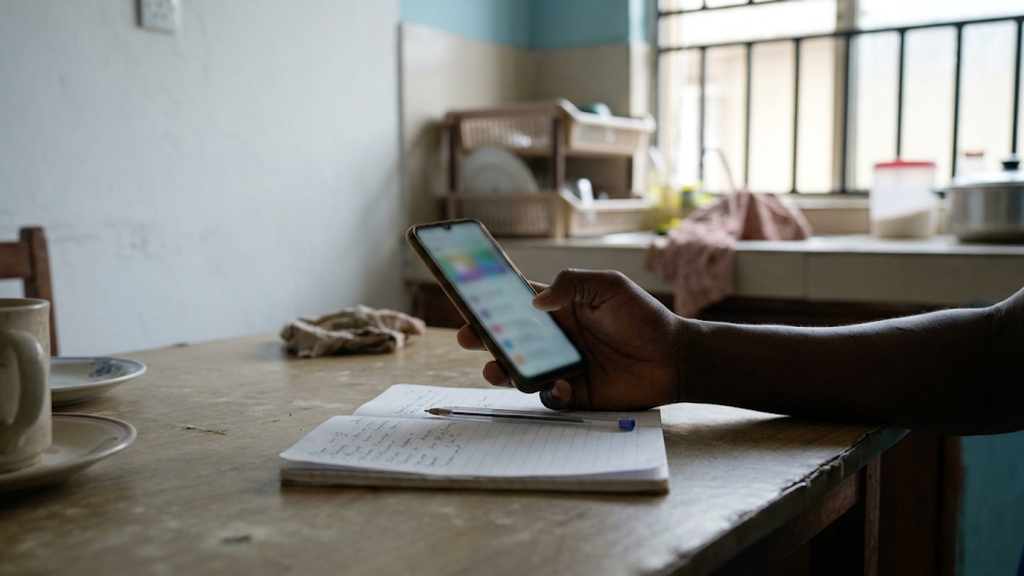
If a listing looks wrong, someone makes you uncomfortable or a stay goes badly, you can tell Hauslet from the page you're on. A report takes a few minutes. This guide shows where each option is on the website and in the app.
Before you start
- Sign in. You need a Hauslet account to send a report.
- Know what happened and when. A short, specific description helps the team act on it.
- For a problem with a shortlet you booked, have the booking open. Photos help, and you can attach them to a dispute.
Step 1: Pick the right option
- A listing that looks fake, misleading or wrong: report the listing.
- A person's profile: report the profile.
- Something in a conversation about a listing: report the listing or the person from the conversation.
- Someone you don't want to hear from: block them in the app.
- A problem with a shortlet you booked: file a dispute from the booking.
- Anything else, including a safety concern with no report button: open a support ticket and choose the Safety category.
Step 2: Open the report form
Report a listing
On the website: open the listing and select Report this listing, below the price box. On a phone it's at the bottom of the page. On a computer you can also select the flag at the top of the page.
In the app: open the listing, scroll to the bottom and tap Report this listing.
Report a profile
On the website: open the person's profile, for example by selecting the host's name on a listing. Then select the flag (Report profile) at the top.
In the app: open the profile and tap the flag at the top.
Report from a conversation
These options appear in conversations about a listing.
On a computer: open the conversation in Messages. In the panel on the right, under Helpful Actions, select Report this listing. To report the person, select Report this host for a shortlet or Report this agent for a rental or a home for sale.
On a phone or tablet browser, and in the app: open the conversation and select Details at the top. The same options are under Helpful Actions.
If you're the host, you'll see Report this guest, Report this renter or Report this buyer instead.
Report a review
In the app: on a shortlet listing, tap Report review under the review.
Report a Hausmates post or person
In the app: open the post and tap Report this post. In a Hausmates chat, open the chat details and tap Report followed by the person's name.
Step 3: Fill in the report
The form is the same wherever you open it.
- Reason: choose Harassment, Spam, Hate speech, Inappropriate content, Fraud or Other.
- Specific element (optional): point to the part that's wrong, such as Photos / Media, Pricing / Fees or Location details for a listing.
- Details: explain what's wrong. This is required.
- Select Submit Report.
You'll see "Report submitted. Our trust & safety team will review it." You can only have one open report on the same item, so there's no need to send it twice.
Block someone (app only)
Blocking is available in the app, not on the website.
- From a conversation: open it, tap Details and tap Block followed by the person's name.
- From a profile: tap Block, then confirm.
Once you block someone, neither of you can send new messages in any conversation you share. Those threads are archived and muted for you, but you can still read them. Existing bookings stay in place, and you can still contact Hauslet support.
To unblock someone, go to Account, then Account Settings, then Blocked people.
Report a problem with a stay
If something went wrong with a shortlet you booked on Hauslet, file a dispute instead of a report. You can do it during the stay and until 14 days after checkout. Disputes are for guests; if you're a host, open a support ticket instead.
- Open your booking. On the website, select Bookings in the menu and choose the stay. In the app, go to Account, then Bookings.
- Under Report a problem, select File a dispute. The booking shows the date you can report until.
- Under What went wrong?, choose Not as described, Condition or cleanliness, Safety concern, Couldn't get in or Something else.
- Under Tell us what happened, describe the problem in at least 30 characters and attach photos if you have them.
- Select Submit report.
Hauslet reviews every dispute and updates you by email. You can withdraw a dispute at any point before it's resolved. The refunds and disputes policy explains how outcomes and refunds are decided.
Open a support ticket for anything else
On the website: on a computer, open the menu at the top right and select Report a problem. On a phone, go to Account and select Report a Problem.
In the app: go to Account and tap Report a Problem.
Add a Subject, choose a Category (pick Safety for a safety concern), write your Message and select Submit. You can attach one file up to 4 MB. Never include card details, your PIN, a one-time passcode (OTP) or your bank login.
What happens next
- The trust and safety team reviews every report.
- You won't get an update when a report is closed. If you need a reply, open a support ticket or email us.
- Hauslet can remove content, restrict or suspend accounts and take other action under the acceptable use policy and the host standards. We can't promise a particular outcome or timeline for a report.
- For disputes, you'll hear the outcome by email.
Contact us
You can also email hello@hauslet.com. Include the listing link, the person's name or your booking reference so we can find it quickly.
For ways to avoid problems in the first place, read Staying safe on Hauslet.
Hauslet Team
Hauslet
The people building Hauslet.